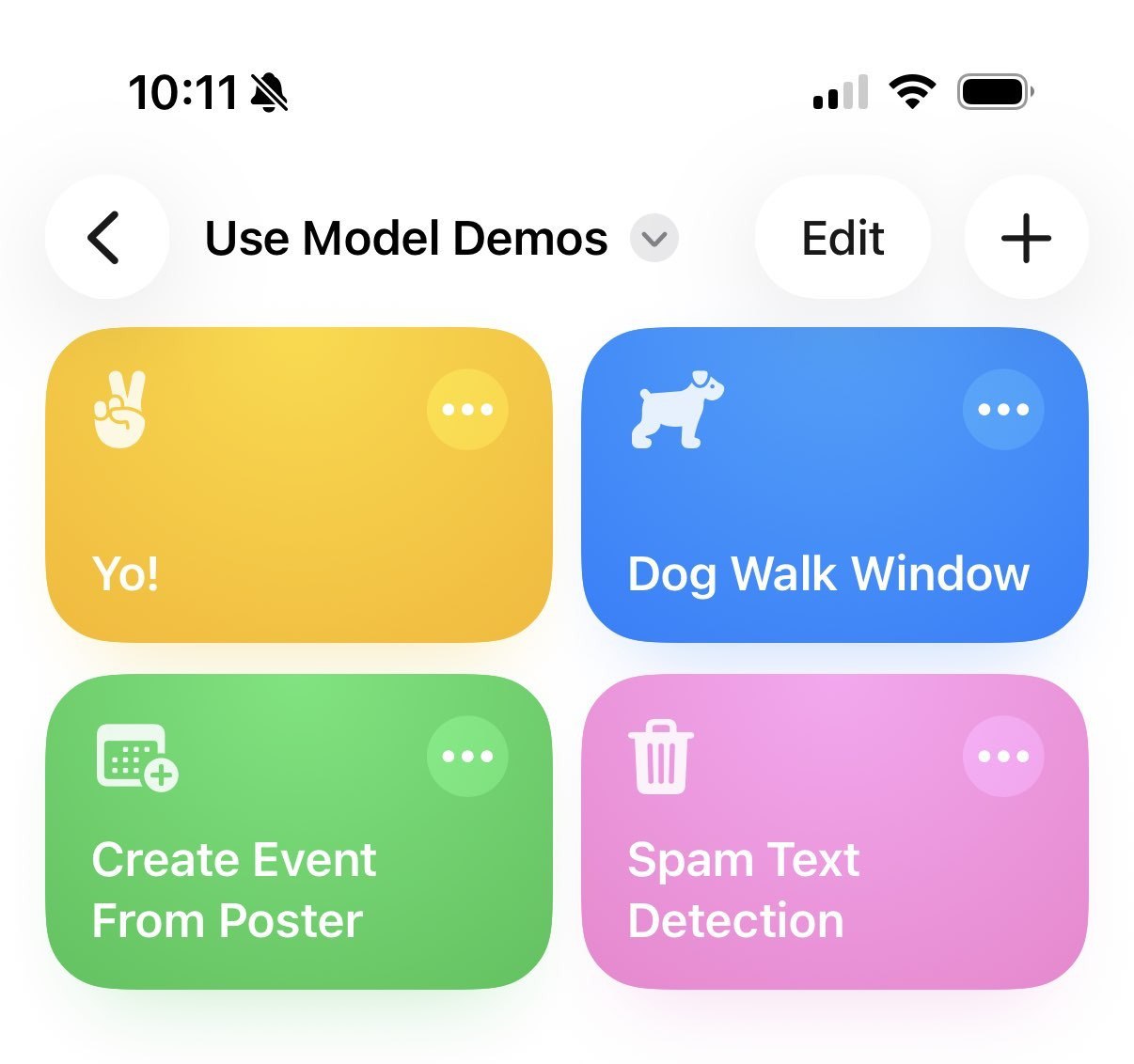
iOS 26 quietly added a new block to the Shortcuts app: “Use Model”. This block allows you to pass text to an LLM and get a response. I’ve been playing with this and finding it’s very useful as well as a great way to play with Apple’s LLMs, so I’m submitting it as a demo for Seattle’s AI Tinkerers December event.
Right now the Shortcuts block supports three different models:
- On Device. This is the local model on your iPhone or Mac. This ought to be using Apple’s Foundation Models under the hood (but admittedly I’m guessing). Extremely useful to play around with if you are making an app!
- Private Cloud Compute (which I’ll call PCC). This is the Apple-owned cloud service for running queries on “more powerful” servers. They made a big deal about it at their Apple Intelligence launch, but largely it wasn’t heard from after that. Neat to see it here.
- ChatGPT. This is Apple’s partnership with OpenAI– you’re just talking to good ol’ GPT here.
I made four demonstration Shortcuts. Here they are with a description for you to play around with.
Yo! writes a text to a friend saying I’m thinking of them. It’s good for showing the different capabilities of the three available models. I’ve noticed that the output for On Device and PCC is not hugely different here. Also notice that there appears to be no randomization temperature on these models– you’ll get the same output each time.
Dog Walk Window gets the hourly weather and finds a time when it will be dry to walk the dog. I have this setup as an automation that runs at 8am every day, and so far it’s been dead on. This morning it says to go at noon. This is by far the most useful of the Shortcuts I made here!
Create Event From Poster uses text extraction from images to make a new calendar event from a photo of a flyer. You can’t pass an image to the Use Model block, but you can pull text out using OCR. This works almost entirely with the On-Device model, it seems.
Spam Text Detection is an automation for when you get a text that says “stop” in it. It checks if the sender is in your contacts, asks the model if it’s spam, and can auto-text back “STOP” if it is. I got this idea from Harper Reed and expanded it a little bit.
Mostly, I think it’s neat that you can expand on Shortcuts like this. There’s a lot of useful stuff you can do with it! Shortcuts’s interface is pretty clunky for programming things, but once you get it working it can be kind of magical.